Make the room yours.
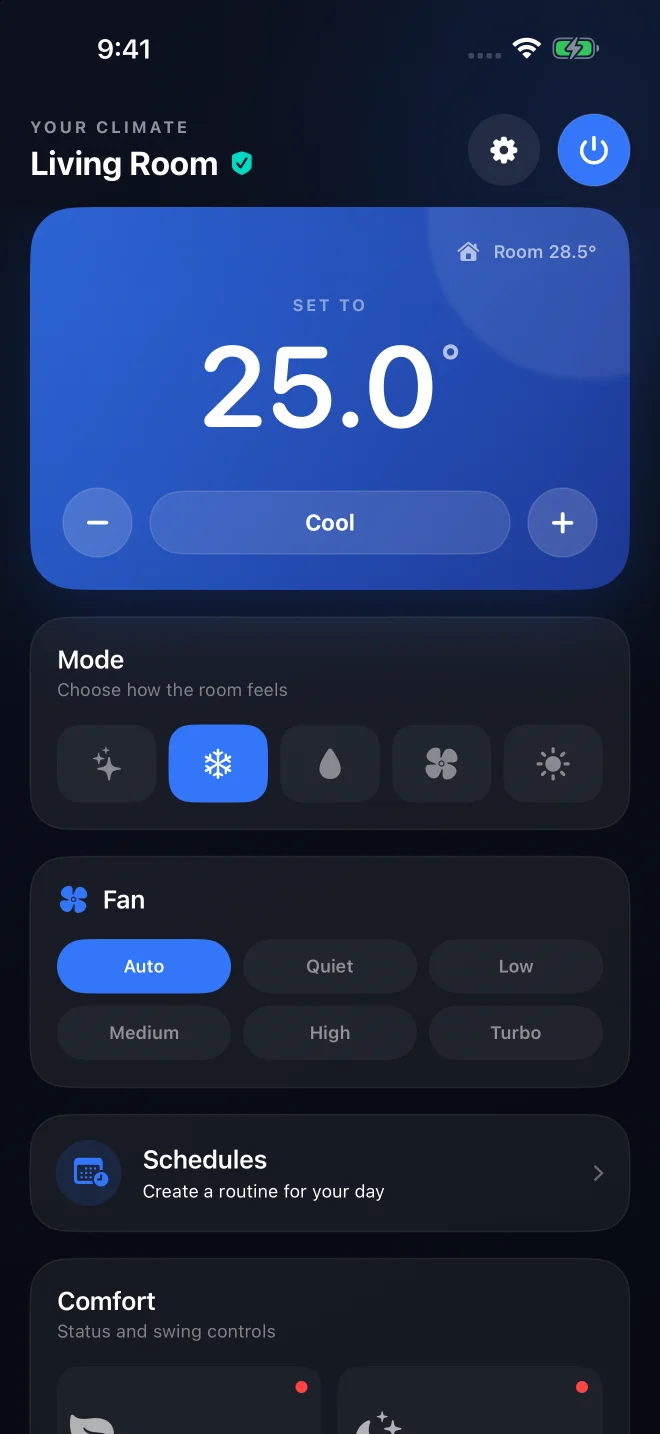
Adjust temperature, mode and fan speed. Fine-tune Eco, Sleep and airflow when your unit supports them.
YOUR BOSCH CLIMATE, SIMPLIFIED
Power, temperature and everyday comfort, together in one clear dashboard. Built for compatible Bosch air conditioners, on iPhone and iPad.
iPhone · iPad · Apple Watch
EVERYDAY COMFORT
The controls you reach for most, with room for the details that make your space feel right.
Adjust temperature, mode and fan speed. Fine-tune Eco, Sleep and airflow when your unit supports them.
Build recurring routines from timed climate steps. Start with Night comfort, then choose the temperatures, timings and weekdays that suit you.
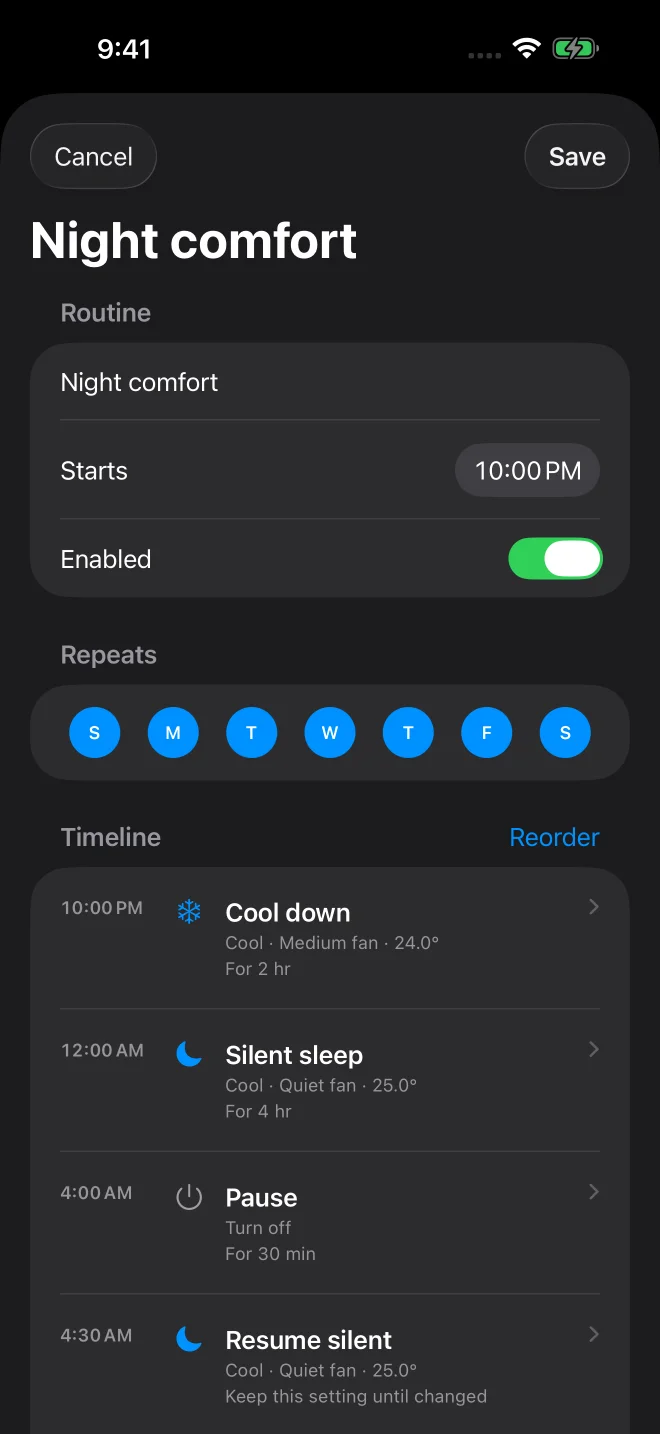
Screens show the app's interactive demo.
ON YOUR WRIST
Turn your unit on or off, adjust temperature with the Digital Crown and toggle your saved routines from Apple Watch.

Apple Watch uses your paired iPhone to apply changes. If it is unreachable, the Watch tells you to open the phone to finish.
START AT YOUR OWN PACE
The app opens with a local Living Room demo. Try its controls without signing in or changing a real air conditioner.
Sign in through Bosch SingleKey ID with your HomeCom Easy account. The app currently selects one compatible unit.
Local routines run while the app is active. Running them while your phone is offline requires the optional betterBCool Cloud service.
YOUR DATA
Sign-in happens through Bosch SingleKey ID. The app stores access tokens in your device's Keychain.
Optional wrist-temperature features read nightly Apple Health samples with permission. They do not write Health data.
Wrist-temperature cooling uses fresh nightly samples and a personal baseline. It is not live body-temperature monitoring or a medical feature.
Optional cloud routines synchronize schedules and use encrypted credentials on the configured backend. Direct control works through the phone.
Live control requires a compatible Bosch Climate Series air conditioner managed through HomeCom Easy, a Bosch account and internet access. Controls vary by model. Room temperature appears only when the unit reports it.
On-device routines run while betterBCool is active. For routines that continue while the phone is suspended or offline, the optional betterBCool Cloud service must be configured.
Yes. The built-in interactive demo is local and does not send commands to Bosch or a real unit.
No. betterBCool is independent and is not affiliated with, endorsed by or sponsored by Bosch. Keep HomeCom Easy available as your official companion app.
iOS 17 or later. Apple Watch companion requires watchOS 10 or later and a paired iPhone. Use only accounts and equipment you own or are authorized to control.
Have a compatibility question or want to know more about betterBCool? Talk to the team.
Get in touch